Instagram

A dress for Friday needs more than a quick reply
Imagine this shop inquiry: “Do you have the green dress in medium? I need it for Friday.” You’re helping someone at the counter, your colleague is packing parcels, and both of you spot the DM.
One replies that medium is available. The other says they’ll check. The buyer now has two answers and still doesn’t know whether the dress will arrive in time. Nobody meant to make buying it difficult.
Managing Instagram messages and orders means carrying that request through the stock check, delivery decision and saved purchase. This illustrative example follows those steps, including what to say when you need more time.
Check the dress and the deadline together
The buyer has given you two things to check: the size and whether it can reach them by Friday. Answering only the stock question leaves them to ask again about delivery.
If the dress isn’t clear, ask for the post or photo. Then check medium against your stock records and, when needed, the shelf. Count items already committed to other orders. A similar dress in another size won’t answer this request.
Ask for the delivery area if you need it to check the deadline. You can request the full address after the buyer chooses delivery. Start with the information that lets you give a useful answer.
Let one person finish the answer
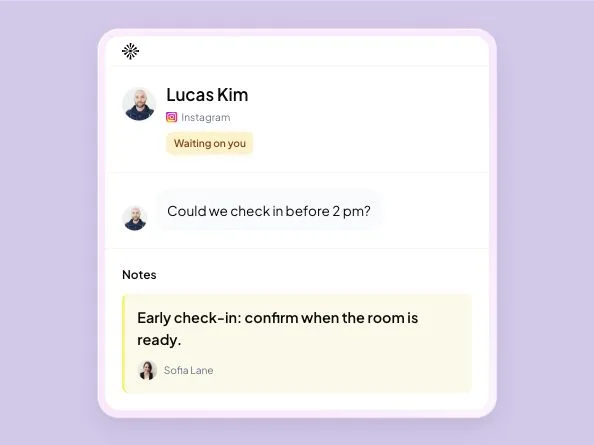
Before replying, read the latest messages and check whether a teammate has started helping. Agree who will take the request through to a clear answer. That person can ask packing staff about stock or delivery while keeping the buyer informed.
If you’ve already sent conflicting replies, correct them in one message after checking the facts. Don’t leave the buyer to work out which teammate was right. If another person needs to take over, pass on the deadline and what’s still uncertain. The handoff guide has a note you can adapt.
Give the person packing an order they can use
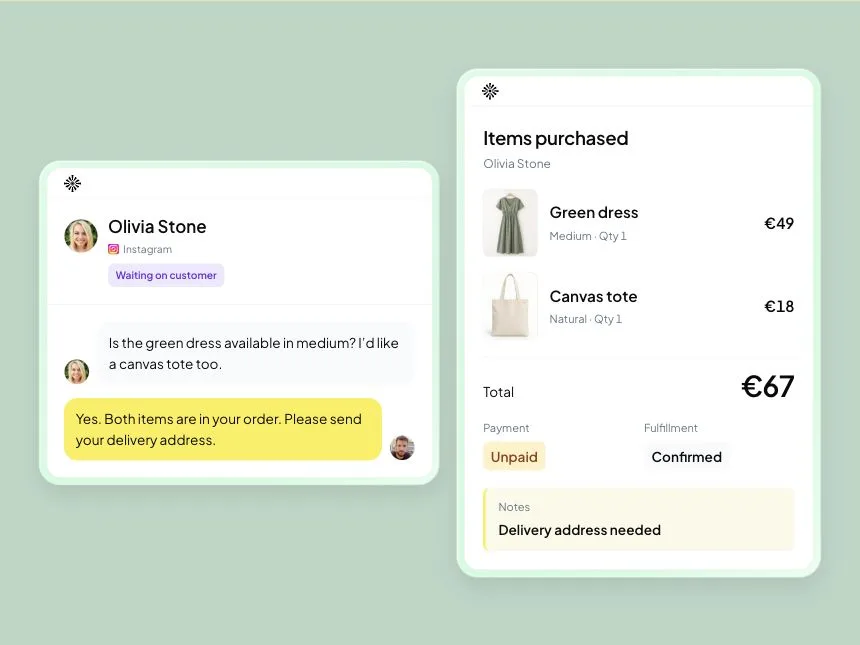
When the buyer agrees to the medium dress, record the item, quantity, price and collection or delivery arrangement. The person packing it needs those details without reading a long thread to discover which colour the buyer finally chose.
“I’ll take it” may leave an address, payment or delivery decision unfinished. Write down what’s missing and collect it before treating the order as ready to prepare.
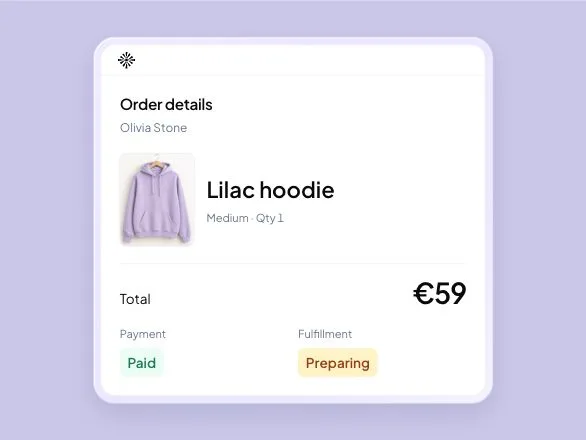
In an Inboks retail workspace, you can save the order linked to the buyer’s conversation and keep its status and notes current. Manual inventory and orders are included on the Free trial and paid plans. Payments, couriers and external-store updates stay with your existing providers. See the shop workflow and plans.
Be helpful while you’re checking
You may need to wait for a stock check or ask the courier about Friday. Let the buyer know what you’re checking, especially when their decision depends on the answer:
Example reply: “I’m checking medium in the green dress and whether we can deliver to your area by Friday. I’ll come back with both answers before we confirm the order.”
Give a reply time only if you can meet it. If Friday delivery won’t work, say so and offer collection or another realistic option. The buyer needs time to make a different plan.
In Inboks, leave the conversation in Waiting on you while you owe the check, then use Waiting on customer when they need to choose or provide a detail. A saved reply can be a starting point; replace the product and delivery details before sending.
Look for orders waiting on one last detail
Before signing off, look at the purchases that are close to agreed but still waiting on something small:
- A buyer still needs the stock, price or delivery answer you promised.
- An agreed order has no delivery address or required payment confirmation.
- Packing staff haven’t received a change to the size or address.
- The person handling the conversation has gone off shift.
Review Waiting on you conversations for outstanding replies. When the reply is handled, you can mark it Completed and continue preparation or delivery in the order record. An answered DM and a dispatched parcel are different points in the purchase.
The unanswered-message guide explains how to keep a promised check visible after you’ve acknowledged the customer.
When the buyer changes their mind
“Could I get large instead?” needs a stock check and a look at the saved order. If it’s already packed, speak to the person preparing it before confirming the swap. If it’s dispatched, explain what can still be changed under your shop’s terms.
Once you agree a change, update the order and tell the person handling it. The buyer should receive the item you last agreed, rather than the one buried earlier in the conversation.
Frequently asked questions
What should I record when taking an order through Instagram DMs?
Record the agreed product, variant, quantity, price and collection or delivery details, linked to the buyer’s conversation. Keep payment and preparation status current. Write down anything still missing, such as an address, before passing the order to the person packing it.
How can I avoid two teammates sending different replies?
Read the latest messages and agree who will handle the buyer’s next reply before answering. That person can ask colleagues about stock or delivery. If conflicting answers have already gone out, check the facts and send one clear correction.
What should I do if the buyer changes size after ordering?
Check stock for the new size and whether the original item is packed or dispatched. Agree any price or delivery change with the buyer, update the saved order and tell the person preparing it. Confirm the swap only after those checks.
Does marking an Instagram conversation Completed mean the order is delivered?
No. Completed means the conversation’s reply work is handled. The order may still need packing, dispatch or delivery. Keep that progress in the order record so the team can answer a later delivery question without treating an answered DM as a finished purchase.

Try Inboks with an order your team handles today. 14 days free, no card required.