Another tool should earn its place in your day
You answer a booking question in Meta Business Suite, check dates in a calendar, then message your colleague about the deposit. That can work perfectly well. It can also leave you at the centre of every small question, even on your day off.
When comparing Meta Business Suite with a conversation workspace, start with the request that keeps sending people back to you. Look at where your team checks the facts, records the agreement and picks up the next reply. Moving software is worthwhile when it makes that job easier without adding more duplicate work.
This guide is written by Inboks. The guesthouse, shop and salon situations are illustrative, and features should be checked in your own Meta account. If your current setup works for your team, keeping it is a reasonable choice.
Use one ordinary request to make the comparison
Choose a recent request that needed more than a quick reply. Follow it in your current setup, then try it in the tool you’re considering. Ask a teammate who wasn’t part of the original exchange to answer a follow-up.
Watch where they pause. Can they find the agreed dates or item? Do they need to ask you whether a payment arrived? Can they tell what’s still waiting? Those moments give you something concrete to compare.
Meta Business Suite has inbox organization and team features, so don’t assume a shared inbox alone requires a paid alternative. Check what your account offers and whether the team uses it. Here, the comparison concerns customer requests and the bookings, orders or appointments they create; publishing and advertising are separate decisions.
A guest asks to add Sunday night
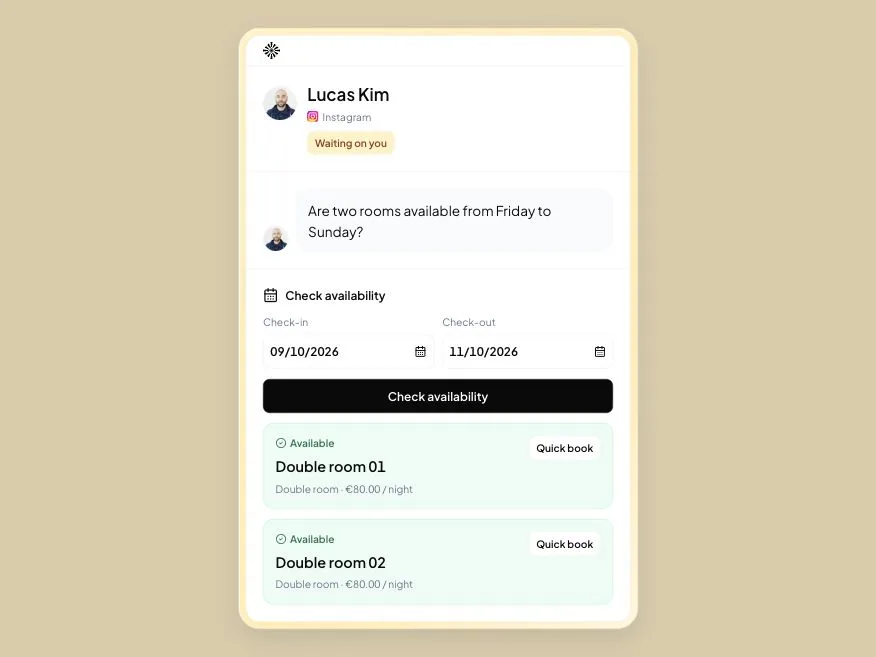
The guest is already booked for Friday to Sunday and asks to stay until Monday. Your receptionist needs to check the extra night, agree the price and update the reservation. A warm “Of course” comes too soon if the room is already promised to someone else.
In an Inboks rental workspace, you can check availability and keep the saved booking and verified payment records linked to the guest conversation. The next receptionist can read the request and review the revised stay before answering a question about the balance.
Try that accommodation workflow alongside your current process. If you also use a property-management system or OTA calendar, those records need separate updates; Inboks doesn’t synchronize them. Include that extra work in your decision.
A buyer changes size after ordering
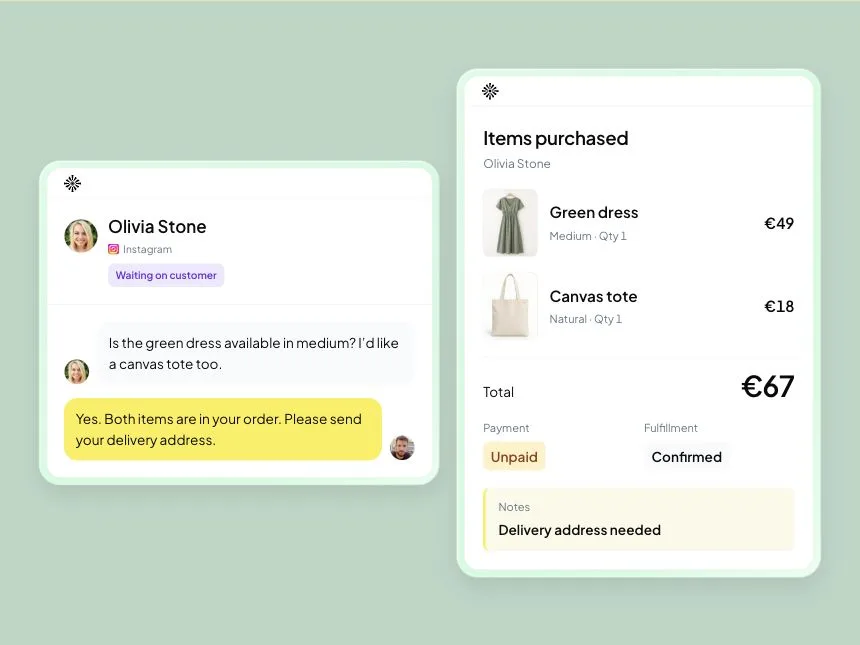
A buyer agreed to a medium hoodie, then asks for large. The person replying needs to know whether large is in stock and whether medium has already been packed. The message history alone may leave them asking you where the order got to.
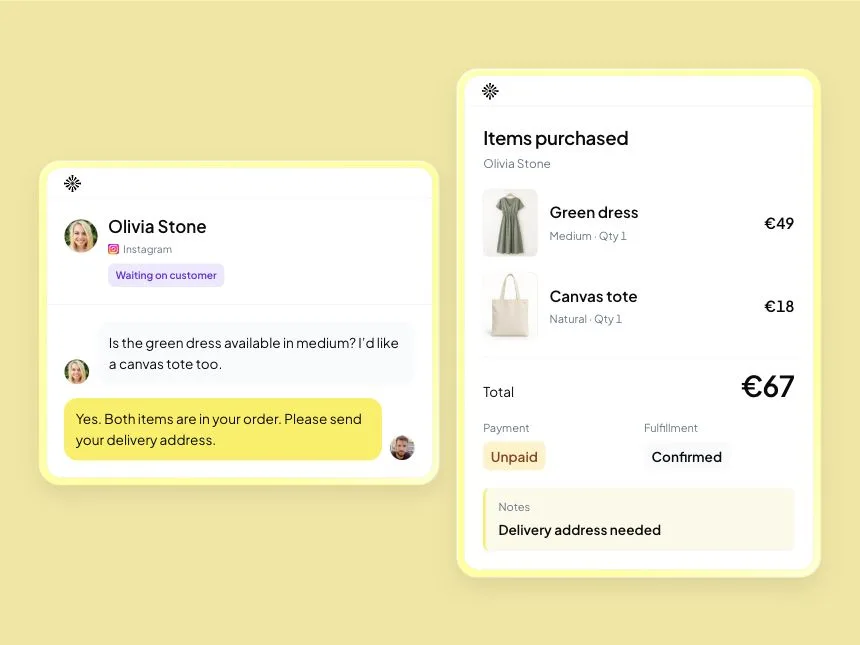
An Inboks retail workspace lets you keep stock and a saved order alongside the buyer’s conversation. Staff can review the agreed items, order status and notes when deciding what to tell them. Changes still need a person to check and record them.
Try the shop workflow with a purchase your team recognises. Payments and fulfillment stay with your providers, and external-store synchronization isn’t included. If copying orders into an existing shop would create more work, account for that too.
A client asks to move an appointment

 Instagram
A client writes, “Could I come on Friday instead?” One receptionist offers a time; another sees the client’s acceptance. The schedule needs to show the agreed visit before either sends a final confirmation.
In an Inboks service workspace, you can link the conversation to the appointment, propose a time and update the visit after the client agrees and staff confirm it. A teammate can then review the discussion and the saved appointment together.
Test the salon workflow with a reschedule. It’s staff-managed; public self-booking and external-calendar synchronization aren’t included. If those are what you need most, compare scheduling products as well.
Count the work the new setup adds as well as removes
A new subscription also means connecting accounts and teaching people a different routine. Write down what it would change before committing:
| Check | Write your answer |
|---|---|
| Which request caused a missed step? | Use a recent real example |
| Where did you check the facts? | Your booking, stock or scheduling record |
| Who owed the next reply? | A named teammate |
| What did you copy elsewhere? | The details and their destination |
| What would a new tool remove? | A repeated task or question |
| What would it add? | Cost, setup, training or duplicate updates |
If you want to test Inboks, the 14-day Free trial includes one Instagram or Messenger account and up to two teammates. Connect an eligible account through the supported Meta setup and choose the workspace for your business. Private conversation notes start with Starter; check the current plans before planning your test.
Try the follow-up with the colleague who normally asks you for the details. If they can find the agreement and finish the request, you’ve seen a useful change. If you’re maintaining another set of records without removing a task, you’ve learned that too.
Keep the setup that your team can rely on
You may get enough from Meta Business Suite and the booking, shop or scheduling software you already use. Improve a handoff or make better use of an existing feature before moving everything.
A conversation workspace becomes worth considering when your team repeatedly needs the customer’s request and the resulting order, booking or appointment together. Choose from a real request your colleague can finish, and count the daily work each setup asks of you.
Frequently asked questions
What should I compare beyond replying to messages?
Follow what happens after the reply: where you check availability or stock, save the agreement and hand the request to another teammate. Compare the work needed to keep bookings, orders or appointments accurate, including any details copied into another system.
Does Inboks replace a hotel property-management system?
Inboks connects guest conversations to room availability, direct booking records and recorded payments. It does not provide OTA or property-management-system synchronization in the workflow shown here. Keep those systems updated through your existing process and include that work in your comparison.
Can I use Inboks to publish social posts or run ads?
No. Inboks handles customer conversations, bookings, orders and appointments. Use your publishing and advertising tools to post content or manage campaigns. Evaluate Inboks around a customer request your team needs to finish, such as checking a room or updating an order.
How should I test whether another inbox is worth the change?
Choose a recent customer request and handle it in your current setup, then in the tool you are considering. Ask a teammate to answer a follow-up from the saved details. Compare what they can finish, what they still need to ask you and any extra record updates.

Test Inboks with the teammate who picks up your work. 14 days free, no card required.