Instagram



Remember the person behind the next DM
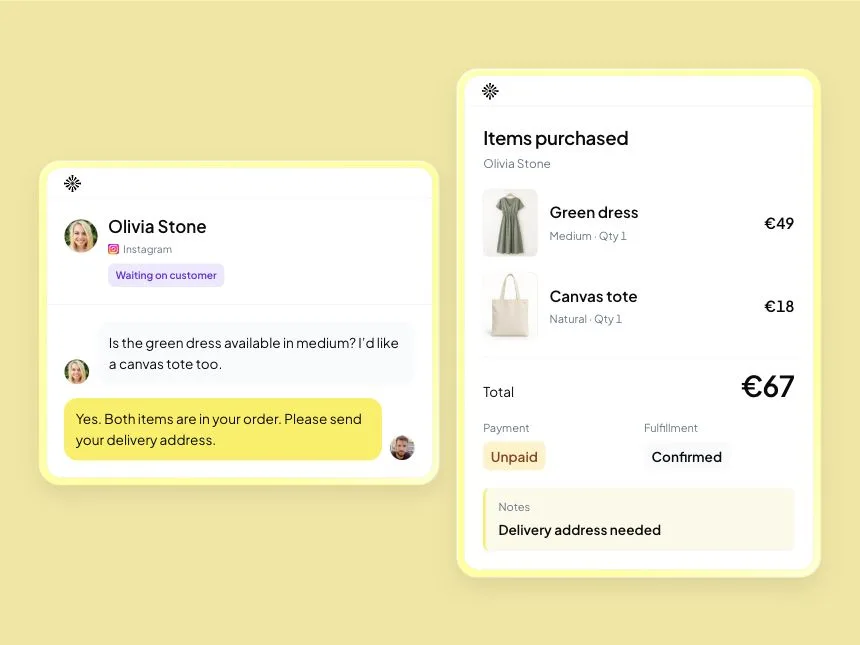
“Hi again. Can I get the same one in black?” It’s a lovely message to receive, until you realise you can’t remember what “the same one” was. You scroll back through photos, voice notes and delivery questions while the customer waits.
An Instagram CRM helps you keep customer information and follow-up alongside Instagram conversations. For a shop, that means remembering the agreed item, size, price and order details, so a returning buyer doesn’t have to start again.
The clothing-shop examples below are illustrative. They show what’s worth keeping, what to leave out and how to choose a tool without turning every DM into paperwork.
Keep the details you’ll need when they come back
You don’t need a biography for someone who asks whether a hoodie comes in medium. Keep the details that will help you answer them now or recognise the order later. Once they choose delivery, you can ask for the address.
When a customer returns, the useful record answers practical questions: what did they choose, what did you agree, and is anything still unfinished?
| Keep this | Why it helps | Example |
|---|---|---|
| Customer identity and channel | Find the right conversation when a similar name appears | Instagram handle and a customer name supplied by the buyer |
| The request and its current state | Know whether you owe a check or are waiting for an answer | Medium lilac hoodie; buyer is choosing delivery or collection |
| Agreed details | Reply consistently when the customer returns | Size, quantity, price and delivery details |
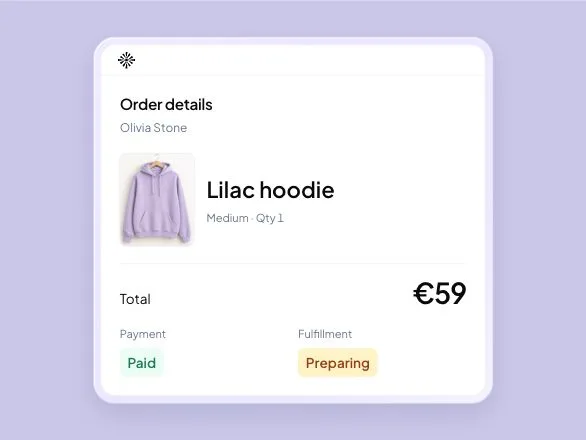
| Linked business record | See what was actually booked or ordered | An order with products, total and recorded payment status |
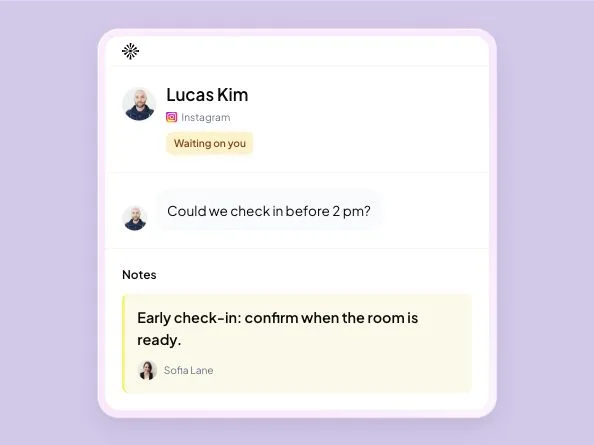
| Owner and follow-up | Make the unfinished step visible | Sofia will confirm the delivery address before preparing the parcel |
Keep access limited to the people handling the request. Collecting more information than you need adds work for you and asks more of the customer.
Follow the hoodie inquiry through to an order
A buyer sends a photo and asks, “Do you have this hoodie in medium?” Check the lilac hoodie and that size before you reply. A clear answer gives them enough information to decide:
Example reply: “Yes, we have the lilac hoodie in medium. It’s €59. Would you prefer collection or delivery? I’ll confirm any delivery charge before we finish the order.”
If they choose delivery, agree the address and final total. Save the product, size and quantity with the order, along with the customer conversation. Keep payment and preparation details current as your team handles the purchase.
An address that’s still missing belongs in the order notes. Give the person preparing the parcel that information rather than leaving them to discover it halfway through packing. Next time the buyer asks for “the same one”, you have a record to check.
Choose for the job you need to finish
The term “Instagram CRM” covers different products. Some help you answer messages, others track sales deals, and others focus on campaigns. Start with the work that’s causing you trouble.
- If replies are getting crossed, look for assignment, history and clear waiting states.
- If you need to manage sales deals, look for deal stages, tasks and contact fields.
- If you take orders in DMs, look for stock, product variants and linked order records.
- If customers book visits or stays, check how you’ll record availability and agreed dates.
Inboks fits the conversation and business-work part of that list: customer requests can sit alongside stock and orders in a retail workspace, bookings in a rental workspace, or appointments in a service workspace. For the hoodie example, you can keep the conversation and saved order together when another person picks up the sale.
Manual inventory and orders are included in retail workspaces on the Free trial and paid plans; customer profiles and private conversation notes start with Starter. See the shop workflow and plans. Payments and delivery stay with your existing providers.
If you need a customizable sales pipeline, compare full CRM products too. If you already use an online store, work out how you’ll keep its records current: external-store synchronization isn’t included in this workflow.
Try an ordinary customer conversation before moving
Pick a request your team has handled recently and try it from beginning to end. Then ask a teammate who wasn’t involved to answer a follow-up. Their questions will show you what the new setup remembers and what still needs explaining.
- Can you receive and answer a new DM from your eligible connected account?
- Which older messages and customer details are available after connection?
- Can the right teammate access the conversation without sharing your Instagram password?
- Can they find the agreed order, booking or appointment?
- What happens if the customer changes their username or writes on another channel?
- Can you export the records you’d need if you changed tools?
Ask the provider to show any requirement you rely on. A CRM label doesn’t tell you whether a tool imports old DMs, recognises someone across channels or connects to your shop. Test your own account before changing the team’s routine.
Give your follow-up a reason
Before sending “Just checking in”, look at what the conversation is waiting for. If you owe the delivery cost, send the cost. If the buyer hasn’t given an address, ask for it. They should be able to see why you’ve written.
Example follow-up: “We still need the delivery address for the medium lilac hoodie. Send it here and I’ll confirm the delivery charge and total.”
Respect the customer’s preferences and the channel’s current messaging rules. Saving a contact doesn’t give you permission to send any message whenever you choose.
Let a quick question stay a quick question
Someone who asks your opening hours needs your opening hours. Someone choosing a product may need a stock check. Save an order once the purchase details are agreed, rather than treating every question as a sale.
If you’re rebuilding purchases from long threads, the Instagram messages and orders guide follows one delivery request through the checks and packing details. Start with a similar request from your own shop.
Frequently asked questions
What is an Instagram CRM?
An Instagram CRM keeps customer details and follow-up alongside Instagram conversations. For a shop, the useful record includes what the buyer chose, what you agreed and whether the order still needs an address, payment check or reply.
What is the difference between an Instagram inbox and a CRM?
An inbox helps you read and answer messages. A CRM adds customer records you can return to when someone buys again or asks about an earlier agreement. Check which records the tool keeps and how they connect to the conversation.
Will an Instagram CRM import all my old DMs?
Ask the provider to show which older conversations and customer details your account can access after connection. Test a returning customer before moving your team. A CRM label alone does not tell you whether your complete message history will be available.
Do I need a full sales CRM to manage Instagram orders?
Start with the records your shop needs: the customer, agreed products, price, delivery details, order status and person handling the purchase. If you also manage sales opportunities through deal stages and sales reports, include those requirements when choosing a CRM.

Try Inboks with a retail workspace. 14 days free, no card required.