Instagram
Give your client something they can plan around
A client books a haircut between work and the school run. Later, with her calendar open, she checks the conversation: was it Thursday at three, or Friday at half past three? “See you then!” doesn’t give her much to go on.
A good appointment confirmation text puts the business, service, date, time and location in one place, with an easy way to ask for a change. It saves the client from piecing the arrangement together and gives your receptionist a clear answer when they call.
The six templates below cover new appointments, time proposals, reminders, reschedules and cancellations. The salon examples are illustrative; use your own agreed details and terms.
Confirm the appointment while the details are fresh
Once you’ve agreed the visit and saved it in the schedule, send the confirmation. Write out the weekday and month. “Friday, 16 October at 3:30 pm” is easier to check than a short numeric date, especially when a client is travelling. Add a time zone for a remote appointment.
For example: “Hi Mia, your haircut with Sofia at Willow Salon is confirmed for Friday, 16 October at 3:30 pm. We’re at 12 Garden Street. Reply here if you need to change it.” Mia can put that straight into her calendar.
Include preparation instructions or the expected duration when they help the client arrange their day. A first visit may need directions; a returning client may only need the time. Any price or cancellation fee should match what you explained before they booked.
Offer a time without making it sound booked
“We can do Friday” can sound like a booking even when you’re waiting for the client to choose. Give the offer a clear next step so they don’t turn up for an appointment that never made it into the schedule.
If the client accepts, check the slot again, record the appointment and send the confirmation. If you hold slots while people decide, state the real hold period. Otherwise, leave that promise out. You can be friendly without promising a time you haven’t secured.
Help them find the details again
By the time a reminder arrives, the client may have forgotten which entrance to use or who they’re seeing. Put those useful details back in front of them. Check the schedule first, especially if anyone has moved the visit since the original confirmation.
Choose a time when the client can still rearrange their plans, using a channel they’ve agreed to hear from you on. If you ask them to confirm attendance, someone needs to read the replies. A client who stays silent may still be planning to come; don’t cancel an agreed visit on that basis unless you clearly agreed that rule beforehand.
Make a change easy to understand
A client asking to move a visit is often trying to fit you around a day that has changed. Acknowledge the request even if you can’t offer a replacement yet. Keep the original appointment in place while you check, unless they’ve asked you to cancel it.
After you agree and record the new time, mention the original slot as well. That lets the client remove the right entry from their calendar.
If they cancel, update the schedule before acknowledging it. They should be able to stop wondering whether they’re still expected. Mention a refund or fee only after checking the agreed terms and what was paid.
Sending the confirmation on WhatsApp
These messages also work as starting points for WhatsApp. Keep the date and time easy to spot and give the client a reply route that someone reads. Get permission for subsequent business messages and respect requests to stop, following the WhatsApp Business Messaging Policy.
If you send through the WhatsApp Business Platform, you can reply without an approved template within 24 hours of the client’s latest message. Outside that window, an approved message template is required. The wording above hasn’t been approved by WhatsApp; check your account’s sending options before setting up reminders.
Keep the receptionist and the client on the same page
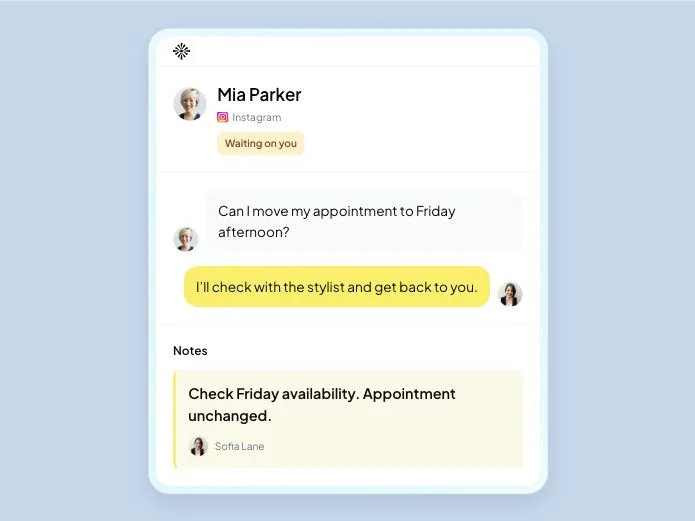
Mia now asks to move her haircut. One receptionist offers a new time, another takes her reply, and Sofia needs to know when to expect her. The message only helps if everyone works from the same appointment.
In an Inboks service workspace, you can keep Mia’s conversation linked to her appointment, propose a time and update the appointment after she accepts and staff confirm it. A receptionist coming onto the next shift can read the arrangement alongside the saved visit. If you use a separate calendar, update it too; external calendar synchronization isn’t included.
Before sending, take one last look:
- The client, service and staff member are correct.
- The date, time, duration and location match the agreed appointment.
- You’ve checked the schedule for a clash.
- The old time has been updated after an accepted reschedule.
- Someone can read and act on the client’s reply.
- You’ve replaced every placeholder and checked any price or policy detail.
The salon workflow shows how those conversations and appointments fit together. Check the plans for your team’s needs.
When a last-minute reply comes in
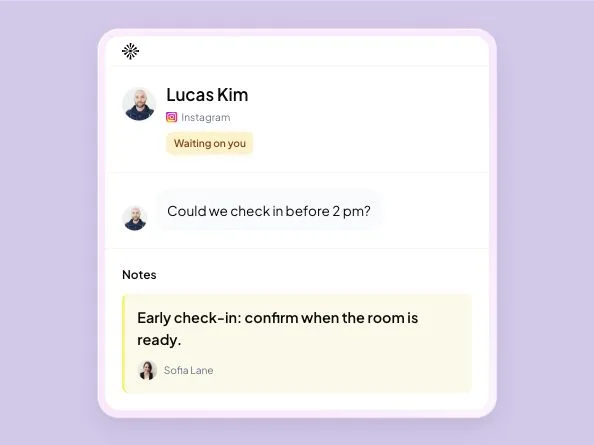
A reminder may bring a reply such as “I’m stuck at work. Could I come half an hour later?” Tell the client you’re checking before saying yes. If the later time won’t work, offer an option you can honour.
When you confirm a replacement, include both the new time and the visit it replaces. Then update the appointment before the next receptionist answers. The client should be able to arrive knowing when they’re expected.
Frequently asked questions
What should an appointment confirmation text include?
Include the business, service, weekday, date, time and location, plus a reply route for changes. Add the staff member, duration or preparation instructions when they help the client plan. Send the confirmation after the appointment is agreed and recorded.
When should I send an appointment confirmation?
Send it once the agreed visit is saved in your schedule. A reminder can follow when the client still has time to rearrange their plans. Check the appointment again before sending so an earlier time does not reappear after a reschedule.
Should clients reply to confirm their attendance?
Ask for a reply if your team needs one, and make sure someone reads it. Explain any deadline or next step clearly. If a client stays silent, check the terms you agreed before treating the visit as cancelled.
Can I use these appointment templates on WhatsApp?
Yes, as wording to adapt to an agreed appointment. Get permission for subsequent business messages. On the WhatsApp Business Platform, sending outside the 24-hour customer-service window requires an approved message template. The examples here have not been approved by WhatsApp.

Try Inboks with your service team. 14 days free, no card required.