Instagram
Help your guest feel ready for the trip
The train is booked. Someone has asked for time off. Your guest opens the hotel email to check one last thing: did they reserve two rooms, and is the deposit included in the total?
A hotel booking confirmation email should settle those questions. Give the guest their booking reference, arrival and departure dates, room details, guest count, total and payment status, followed by check-in information and the cancellation terms you agreed.
These five templates cover direct reservations, pending deposits, changes, arrival instructions and a shorter message version. The examples are illustrative and work for hotels, guesthouses and apartments when adapted to the property’s terms.
Make the confirmed stay easy to check
Your guest shouldn’t have to search earlier emails to check what they booked. Put the stay details together, spell out the month and include the number of nights. Arrival on Friday and departure on Sunday means a two-night stay; write both dates so nobody has to guess.
Delete fields that don’t apply. If payment is due on arrival, say that. A confirmed reservation can still have a balance to pay, and the guest needs to understand which arrangement you’ve made.
For example, two rooms at €80 per room per night, from Friday, 16 October to Sunday, 18 October, come to €320 before other agreed charges. If the guest has paid a €100 deposit, show €100 received and €220 remaining. Keep those amounts in the booking record too, so the receptionist answering tomorrow sees the same figures.
Be clear when the room is still waiting on a deposit
“Your room is booked” is reassuring only when it’s true. If the reservation depends on a deposit, explain what the guest needs to do and what happens afterwards. They may be making travel plans around your reply.
Keep the room-hold sentence only if your team will honour it. If you need to check availability again when payment arrives, say so before the guest pays. A deadline should reflect your actual arrangement, rather than add pressure to an otherwise simple booking.
Verify the payment before recording it as received. Use your property’s agreed payment method or secure payment link, and avoid asking for full card details in an ordinary email or chat.
Send one clear version after a change
A guest asks to stay an extra night. You check availability and agree a revised price, but their inbox still contains the old confirmation. Send an updated version under the same reference and say which details it replaces.
If you can’t offer the extra night, tell them their existing reservation remains unchanged and explain any alternative. “All sorted” leaves too much unsaid when a different room or price still needs their approval.
Give arrival instructions when the guest needs them
On the day of travel, your guest is more likely to need a parking instruction than a long description of breakfast. A separate arrival email gives them something useful to open on their phone when they’re close to the property.
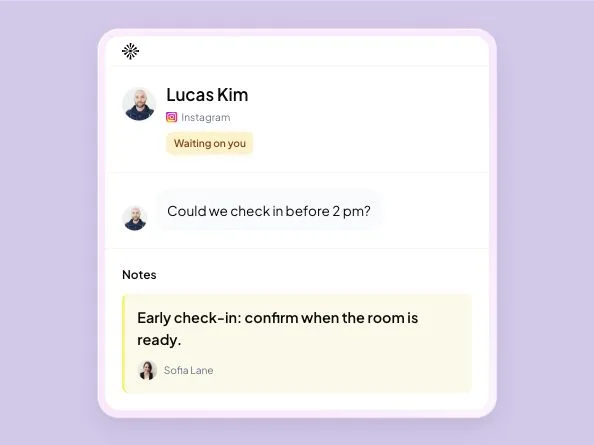
Check the instructions before sending: the entrance, parking and late-arrival contact should still be correct. Confirm early check-in only after checking that the room will be ready. Send access codes through your property’s secure process and only to the appropriate guest.
Use a shorter version in the original conversation
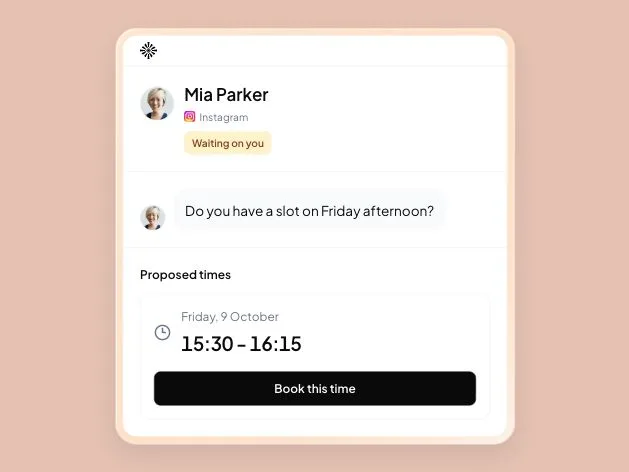
If the booking began in Instagram or WhatsApp, a short reply there helps the guest see that the conversation has reached a confirmed reservation. Point them to the full details, but only say you’ve emailed them after checking their address and sending the email.
Use a channel that is configured for your property. For WhatsApp Business Platform sending, later messages outside the 24-hour customer-service window need an approved template, and subsequent business messages require opt-in. See the WhatsApp policy. This example gives you wording to adapt; it isn’t an approved WhatsApp template.
Give the next shift the same booking details
A careful email can still leave the next receptionist confused if the reservation hasn’t been saved. Record the rooms, dates and agreed total before sending it. If the guest later adds a night, update that record before preparing the revised confirmation.
In an Inboks rental workspace, you can check room availability, save a booking linked to the guest’s conversation and record payments after verifying them. When the guest asks about the balance or changes their plans, the next shift can review the conversation and reservation together.
Before the email leaves, check:
- The correct rooms are available for every night of the stay.
- The guest and booking reference match the reservation.
- Rooms, guest count, dates and inclusions match the agreement.
- The currency, total, verified payments and remaining balance are correct.
- Any hold, cancellation or arrival promise matches your actual terms.
- The revised stay is saved where the next shift will find it.
Keep any separate property-management system or OTA calendar updated through your own process; Inboks doesn’t synchronize those records. Guest payments stay with your payment provider, and email or WhatsApp sending depends on your channel setup.
If another shift must finish a check, leave them the requested dates and what you’ve told the guest. The handoff guide includes a note you can adapt.
Make it easy for the guest to put a mistake right
“Please check the details” should come with a reply route someone monitors. If a guest spots the wrong departure date, acknowledge it, check availability and any price change, then send the corrected confirmation after agreeing and saving the change.
When the change isn’t possible, explain it plainly and keep the original booking intact unless the guest asks to cancel. They need a dependable answer so they can make the rest of their travel plans.
Frequently asked questions
What should a hotel booking confirmation email include?
Give the guest a booking reference, arrival and departure dates, room details, guest count, total, verified payments and remaining balance. Include check-in information, the cancellation terms you agreed and a contact for corrections. Match every detail to the saved reservation.
Should I confirm a reservation before the deposit arrives?
Follow the arrangement you made with the guest. If confirmation depends on a deposit, say the reservation is awaiting payment and explain the amount, deadline and any room hold. Send the confirmed version after you verify the payment and record the reservation.
How is a booking confirmation different from an arrival email?
The confirmation records the stay the guest agreed to, including dates, rooms, price and terms. An arrival email helps them reach the property and check in, with directions, parking and late-arrival instructions. Check those instructions again before sending.
What should I send when a guest changes their booking?
After checking availability and agreeing the change, update the reservation and send a revised confirmation under the same booking reference. Say it replaces the earlier version. Include the new dates, rooms, total and payment balance so the guest can check the whole stay.

Try Inboks with a direct booking inquiry. 14 days free, no card required.